How to play Potion Shop
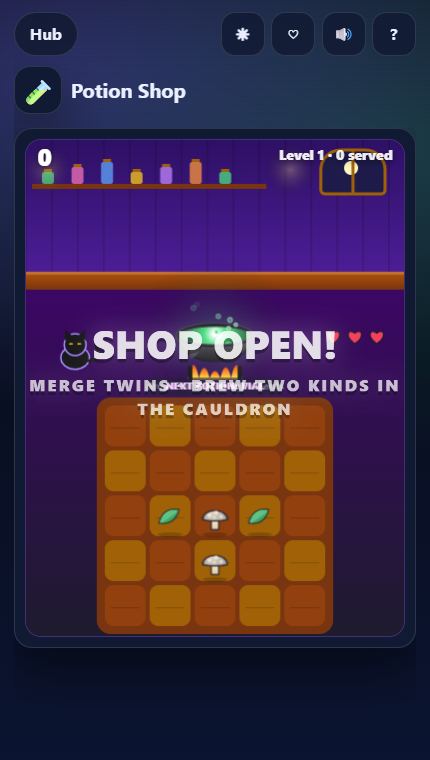
- Ingredients appear on the table. Drag two identical ones together to merge them: leaf to sprig to herb bundle, shard to gem, and more.
- Drop two different ingredients into the cauldron to brew a potion — higher-tier ingredients brew stronger potions. Identical potions merge too.
- Customers ask for a potion or ingredient. Drag it to them before their patience runs out — three upset customers close the shop.
- Wisps upgrade any item, hourglasses freeze patience, VIPs pay triple. Feed clutter to the cat. Coins buy patience, faster ingredients and bonus coins.
Missions to chase
Every run counts toward missions that pay out XP. Clear a tier to unlock the next one:
- Serve 8 customers in a run
- Merge 40 items
- Brew a Love Potion
- Serve 25 customers in a run
- Brew 200 potions
- Brew a Storm Tonic
Upgrades
Coins you earn buy permanent upgrades for Potion Shop:
- ⏳ Cozy Shop — Customers wait 10% longer
- 🧺 Forager — Ingredients appear 8% faster
- 🪙 Gold Till — +15% coins from each run
Good to know
- Free and instant: runs in your browser on phone, tablet or desktop — nothing to install.
- Session length: about 3–10 min per round, perfect for a short break.
- Progress saves automatically in this browser: best scores, missions and favorites.
Start playing Potion Shop or browse all Play Hub games.